Material is more than a rectangle.
Work with rectangular or non-rectangular stock. Choose your start corner and arrangement direction.
IRREGULAR SHAPES. CONSIDERED PLACEMENT.
Turn scattered shapes into a considered sheet layout. Windows nesting software for CNC router and laser workshops.
Final layout from a real Wafeno run on a demo drawing. Motion is illustrative, not a live engine or benchmark.
01 / FROM DRAWING TO LAYOUT
A deliberate workflow, with room for your decisions at every step.
Bring in SVG or DXF drawings, or reopen a saved project.
Choose quantities, stock, margins, spacing and rotation.
Arrange across sheets, inspect the result and adjust it by hand.
Send SVG or DXF outlines to your CAM workflow for review.
02 / THE WORKSPACE
The actual Wafeno interface, on a demo drawing. Explore both appearances without losing sight of your sheet.
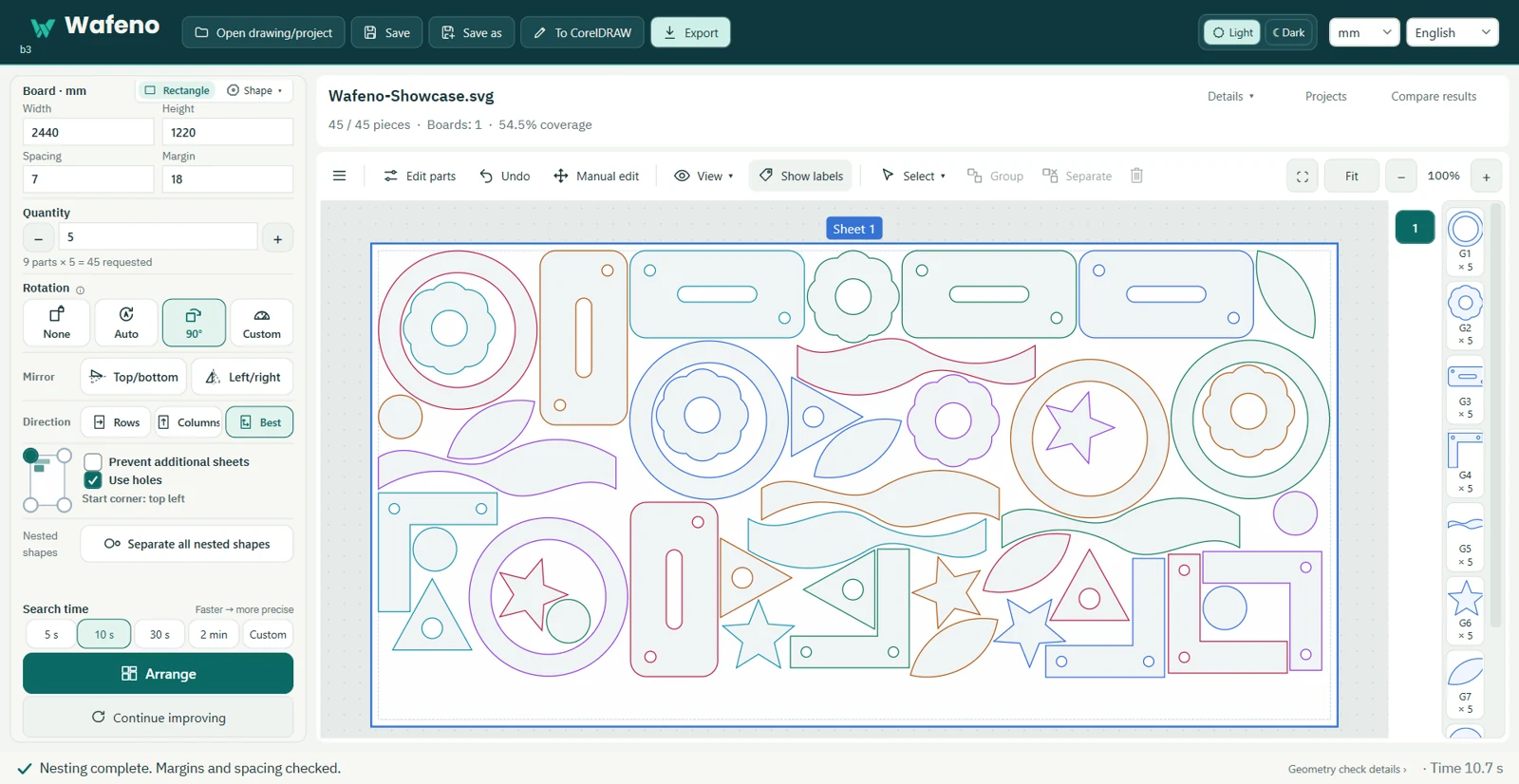
Demo drawing: 45 parts on a 2440 × 1220 mm sheet. Example only; not a performance promise.
03 / CONSIDERED CONTROL
Set rotation and mirroring per part. Decide where nesting inside holes is allowed. Keep quantities, spacing and margins under your control.
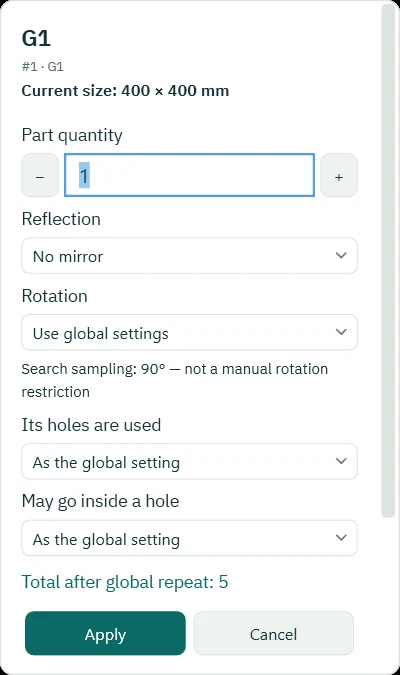
Work with rectangular or non-rectangular stock. Choose your start corner and arrangement direction.
Move and rotate placements by hand, switch sheets and check clearances. Save the project and come back to it.
Export current, selected or all sheets. Choose SVG with original curves, flattened SVG, or DXF outlines.
SVG / DXF → CAM
Plan layouts for CNC routing and laser cutting. Wafeno prepares drawing files; toolpaths, machine settings and cutting remain in your CAM workflow.
Open SVG and DXF directly. A CorelDRAW workflow lets you send shapes, arrange them in Wafeno and return the layout.
See tested compatibilityWafeno does not automatically upload your drawings. Crash-recovery drafts are kept locally for 7 days. Support files exclude the drawing by default.
Read the privacy notice04 / GOOD TO KNOW
No. Wafeno exports drawing outlines. Review them in your CAM application, prepare toolpaths and verify the job before cutting.
No. Wafeno is in a Closed Alpha with a limited group of testers, and there is no public download, checkout or pricing yet. To ask about joining the trial, write to contact@wafeno.com.
SVG and DXF drawings, plus saved Wafeno project files. Export options include SVG and DXF.
Yes. Set quantities and job or per-part rotation rules, including no rotation, automatic, 90° steps or custom angles.
No. Drawings stay on your computer. Local crash-recovery drafts are retained for 7 days; support files exclude drawings by default.

Wafeno is in a Closed Alpha. There is no public download or pricing yet. To ask about joining the trial, write to contact@wafeno.com.
Availability & pricing